| 1 | Confirm the symptom | The switch operates consistently, or the terminal fails under a repeatable condition. | The issue may be mechanical, electrical, or limited to the connected circuit. | Record whether the terminal is always inactive, intermittently faulty, loose, hot, discolored, or associated with a tripped protective device. | Low |
| 2 | Turn off and isolate the power | The correct circuit is disconnected and cannot be energized during inspection. | Incorrect isolation can leave dangerous voltage present at the terminal. | Switch off the relevant circuit protection, prevent accidental re-energization, and verify isolation with a suitable voltage tester. | High |
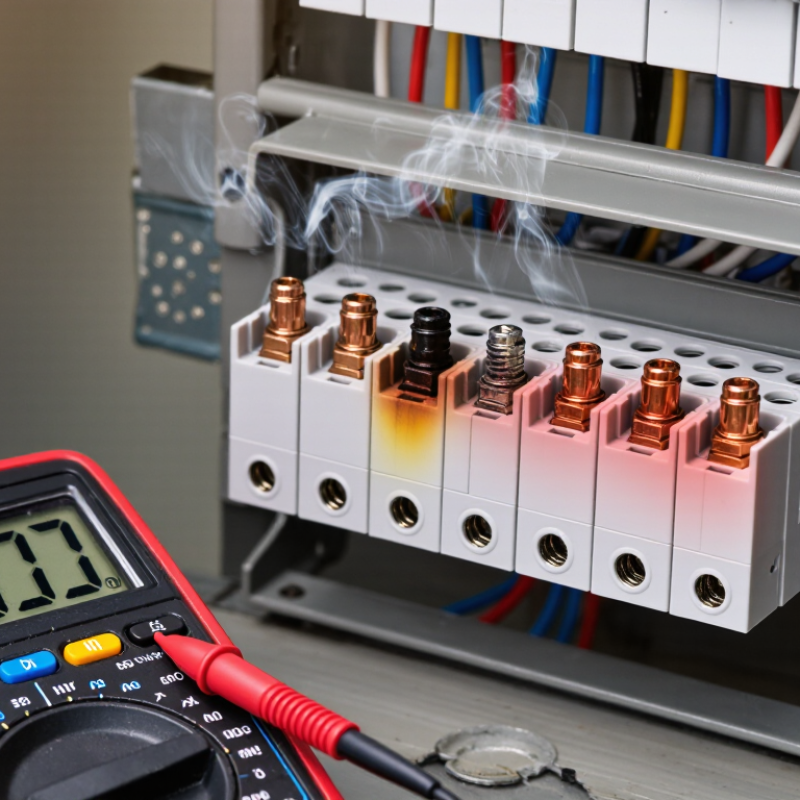
| 3 | Inspect the terminal and wiring | Wires are firmly held, insulation is intact, and there are no burn marks, corrosion, cracks, or loose parts. | A loose connection, damaged conductor, overheating, moisture ingress, or a defective terminal mechanism may be present. | Do not use the switch if damage, melting, scorching, or a burning smell is detected. Arrange repair or replacement by a qualified electrician. | Medium |
| 4 | Check the terminal clamp | The conductor remains secure when gently tugged, without excessive movement. | The terminal screw may be loose, stripped, cross-threaded, or unable to grip the conductor correctly. | With power isolated, remake the connection using the correct conductor length and tightening method specified for the device. | High |
| 5 | Test supply voltage | The measured voltage matches the nominal supply for the installation when the circuit is energized. | No voltage may indicate an open circuit, tripped protection, upstream disconnection, or damaged cable. | Trace the circuit from the protective device to the switch. Stop if testing live conductors cannot be performed safely and competently. | High |
| 6 | Test continuity with power off | When the switch is operated, continuity changes between the intended terminals. | No continuity may indicate worn contacts, a broken internal mechanism, or an incorrect terminal connection. | Replace the switch if its internal contacts do not change state correctly. Never perform continuity testing on an energized circuit. | High |
| 7 | Check the connected load | The load operates normally when supplied from a known-good control point or tested independently. | The appliance, lamp, motor, fuse, driver, or downstream cable may be faulty rather than the switch terminal. | Test the load separately using the correct procedure and confirm that its rating is compatible with the switch and circuit. | Medium |
| 8 | Inspect for overload or heat damage | The terminal remains cool during normal operation, with no discoloration or odor. | Excessive current, an undersized conductor, poor contact pressure, or a loose connection may be causing overheating. | Disconnect the circuit and obtain professional assessment. Do not simply tighten the terminal and return a heat-damaged device to service. | High |
| 9 | Verify terminal identification | Line, load, neutral, and earth conductors are connected to the terminals required by the device design. | Misidentification can cause the switch not to control the intended conductor or can create a shock hazard. | Compare the wiring with the device diagram and local wiring requirements. If the arrangement is unclear, stop and consult a qualified electrician. | High |
| 10 | Perform a final functional check | The switch operates smoothly, the load responds correctly, and protective devices remain stable. | Persistent tripping, sparking, noise, heat, or intermittent operation indicates an unresolved fault. | Leave the circuit isolated and arrange professional diagnosis. Do not repeatedly reset a tripped protective device. | High |